




12 Minutes reading time
Videos cutting allows you to turn your ideas into engaging films. In this article, we'll introduce you to the best free tools and give you tips on how to get started with video editing.
Key facts at a glance
- video Editing is crucial for the effective communication of messages and is used in many areas such as marketing and social media.
- In 2024 there are several free video editing programsas DaVinci Resolve, Shotcut and VSD extensionthat are suitable for both beginners and professionals.
- Careful planning, including creating a storyboard and optimizing audio quality, is essential to producing high-quality videos.
Why edit videos?
Video editing is more important today than ever. Videos are one of the most effective ways to convey messages and connect with audiences. Whether you're a video marketer, editor, VFX artist, or colorist, the use of video editing software is ubiquitous.
The main features of these programs include:
- the cutting
- the joining
- cutting
- editing videos
In addition, video editing has become a popular hobby and profession that also plays a major role in corporate marketing, especially in the creation of films.
Benefits of Video Editing
Good images are crucial for successful videos. Effective video editing requires both technical skills and creative thinking to make videos engaging. A well-crafted storyboard can reduce the cost of professional video production by reducing the need for spontaneous changes. Joining clips together, trimming, inserting transitions, adding effects and editing the audio track are all essential steps in video editing.
Careful planning and storyboarding helps define the structure and flow of the video before editing. This not only helps shorten the overall length and remove unnecessary scenes, but also helps achieve the desired video quality. Even if parts of a video are removed or moved, the quality of the remaining footage remains the same.
Common areas of application
Videos are used in numerous areas, from Social Media over YouTube to corporate presentations. Short videos are ideal for platforms like Instagram, while longer formats work better on YouTube.
The videos can be recorded with various devices, be it smartphones, tablets, notebooks or professional cameras. Popular platforms for video applications include YouTube and Instagram, each of which offers its own specific requirements and advantages.
The best free video editing programs 2024
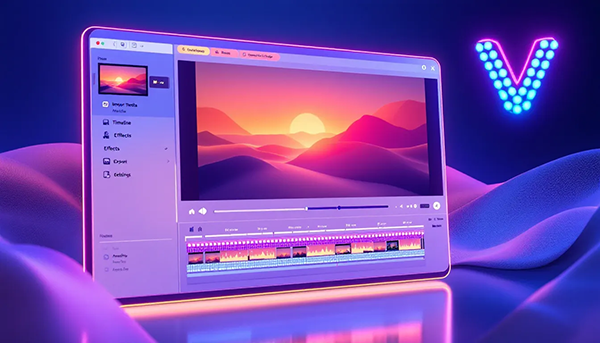
Choosing the right video editing software is crucial to creating impressive videos. In 2024, there are numerous free tools, suitable for both beginners and professionals. These programs allow you to edit videos in various formats for marketing, training and entertainment.
Proper video editing leaves a positive impression on the audience and is important for branding. Some of the best free video editing software include DaVinci Resolve, Shotcut, and VSDC Free Video Editor. These tools offer simple yet powerful video editing features.
DaVinci Resolve: Professional quality for free
DaVinci Resolve is a free video editing software that enables professional video editing. It supports Windows, macOS and Linux operating systems and offers a variety of features, including working with HD quality and multiple audio and video tracks.
The free version of DaVinci Resolve allows you to create high-quality videos, although it lacks some features such as 3D video editing and certain effects. Nevertheless, it is an excellent choice for those who want to create professional videos without spending a lot of money.
Shotcut: Open source video editor
Shotcut is an open source video editor that supports modern codecs and allows editing videos with multiple tracks and simple crossfades. Editing features include filters, effects, and the ability to add both audio and video effects.
Shotcut supports a variety of export formats such as MP4, FLV and GIF. It is also available for Windows, macOS and Linux operating systems, making it a versatile option for many users.
VSDC Free Video Editor: Extensive Features
The VSDC freeware video editor offers extensive video editing and image correction features comparable to paid programs. From simple cuts to complex image corrections, VSDC is suitable for various user needs.
The transitions offered include fades and transformations that make the video look professional. This video editing software is an excellent choice for those who are looking for comprehensive editing features without having to spend money.
Simple Tools for Beginners
For beginners, there are a variety of user-friendly video editing programs that make it easier to get started in video editing. These tools offer basic features and are easy to use, making them ideal for beginners.
Whether it's simple projects or your first steps in video editing - with the right programs, editing videos becomes child's play.
Windows Movie Maker: Classic for simple projects
The Windows Movie Maker is a classic among video editing programs and is particularly suitable for beginners. Even though it performs worse than newer programs, it offers a user-friendly interface for uncomplicated projects.
The audio function allows the music to fade out in three stages, which allows for easy adjustment. For simple projects and initial experience in video editing, Windows Movie Maker is an excellent choice.
OpenShot: User-friendly and cross-platform
OpenShot is an easy-to-use and cross-platform video editing program that supports multiple operating systems, including Windows, Linux, macOS, and Chrome OS. It offers a variety of special features such as transitions, effects, emojis, and 3D text titles.
These features make it an attractive choice for beginners looking for simple yet powerful video editing software.
SimpleVideoCutter: Fast and uncomplicated
SimpleVideoCutter is a user-friendly tool designed specifically for quick and easy video editing. Users can quickly cut videos and extract scenes easily. With a Video trimmer you can edit your videos even more efficiently. This video editing software allows you to further optimize the editing process.
The platform allows you to easily edit clips by dragging and dropping them in the timeline. Thanks to its user-friendly interface, it is ideal for beginners who want to edit videos quickly and easily.
Mobile apps for video editing
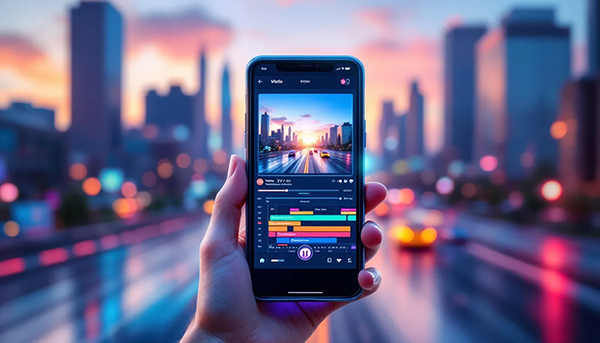
Mobile apps make video editing on the go a breeze. These applications offer advanced features and powerful editing tools right on smartphones and tablets, allowing you to edit videos in a user-friendly way no matter where you are.
Whether simple cuts or complex edits – with the right apps you can edit and share your videos anytime, anywhere.
InShot: Creative video editing on the go
InShot is a user-friendly video editing app for mobile devices. It offers features such as text and music embedding as well as advanced editing tools. Even beginners have the opportunity to create impressive videos with InShot. No professional knowledge is required.
With this app you can implement your creative ideas directly on your smartphone and create impressive videos.
CapCut: Popular with TikTok users
CapCut is particularly popular with TikTok users and offers a variety of features, including filters and transition effects, that make video editing easier for social media users.
CapCut's interface is intuitive and available in German, making it attractive to social media and mobile users. The free version already offers many useful features, although the premium version offers additional benefits.
KineMaster: Professional editing on your mobile phone
KineMaster is one of the most powerful mobile video editing applications and offers a variety of tools to edit high-quality videos directly on smartphones. Features include:
- multi-track editing
- a wide range of effects
- transitions and texts
- Support for various video formats
With KineMaster you can be creative anytime, anywhere and share your projects instantly, significantly improving your workflow.
Tips and Tricks for Successful Video Editing
To edit videos successfully, some basic tips and tricks are essential. Professionally edited videos increase engagement and the time viewers spend watching. High audio quality is also crucial, as poor sound can negatively affect the overall impact of the video.
Careful planning and storyboarding can greatly facilitate the video editing process and improve the results.
planning and storyboard
Structured planning is crucial for professionally editing videos in the right format. Planning before video editing can significantly increase the efficiency and clarity of the project.
Creating a storyboard helps to clearly visualize the story being told and plan the flow. A storyboard helps to visualize the video in advance before shooting. The script determines what will be said, while the storyboard shows what will be visually represented.
Using Effects and Transitions
Using effects and transitions can add a lot of value to a video if used correctly. Here are some ways you can use effects and transitions effectively:
- The 'Highlights' feature in some programs can automatically generate short clips from the footage to highlight dynamic moments.
- AI tools like those in PowerDirector can improve image and sound quality.
- Remove background noise, resulting in more impressive video effects.
By using these techniques you can significantly improve the quality and impact of your videos.
To apply transitions between video sections, click on the icon between the merged sections and select the desired transitions. A conscious use of effects and transitions can improve the viewing experience without overwhelming the viewer.
Audio optimization
High-quality audio editing is essential for improving the sound quality in videos. It is possible to mute the audio track of a newly edited video and replace it with a voiceover or a professional soundtrack to optimize synchronization.
KineMaster offers an extensive music library that makes adding audio to video projects easy. Good audio quality contributes significantly to the atmosphere of the video and should be carefully tuned to enhance the viewing experience.
Avoid common mistakes when editing videos
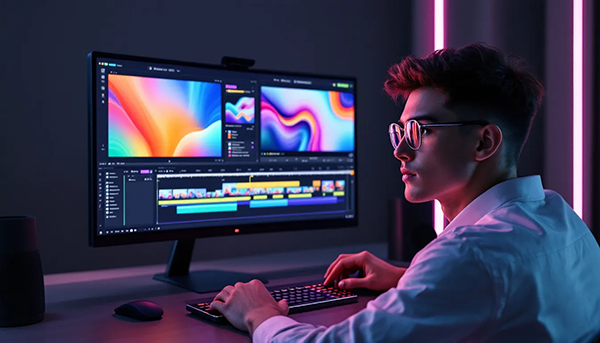
When editing videos, there are some common mistakes that can negatively affect the final result. The quality of the footage plays a crucial role in the success of the video. A common mistake is ignoring the frame rate, which can lead to jerky movements in the video.
Transitions should be used sparingly to avoid distractions and help the flow between scenes. Effects and transitions should be used sparingly to maintain the clarity of the video. Adjusting the sound level with an audio meter will ensure a consistent volume throughout the video.
Excessive use of effects
Effects can make a video more dynamic and engaging, but they should be used wisely to avoid overloading. A common mistake is overloading the video with too many visual elements, which blurs the actual message of the video.
Poor editing transitions can interrupt the flow of a video and distract the viewer from the plot, resulting in a negative viewing experience.
Poor cut transitions
Poor editing transitions can significantly disrupt the viewer experience by breaking visual continuity and reducing viewer concentration. To avoid such transitions, videos should be carefully planned so that scenes flow seamlessly into one another.
Using fades or blends can help smooth the transition between scenes and improve visual coherence.
Insufficient audio quality
Good audio quality is crucial to keeping viewers' attention and communicating information effectively. Poor audio quality can distract viewers and negatively impact the overall viewing experience.
Using external microphones can significantly improve audio quality as they reduce ambient noise. Post-processing the audio, such as removing noise and adjusting the volume, also contributes to better sound quality.
In summary, careful attention to audio quality has a huge impact on the overall impression of the video.
Summary: Key takeaways about intuitive eating
Video editing is both an art and a science. With the right tools and techniques, you can create professional and engaging videos that will captivate your audience. Choosing the best free video editing software like DaVinci Resolve, Shotcut, and VSDC Free Video Editor will give you a solid foundation. For beginners, tools like Windows Movie Maker, OpenShot, and SimpleVideoCutter are ideal. Mobile apps like InShot, CapCut, and KineMaster allow you to edit videos on the go. With the right tips and tricks for planning, using effects and audio optimization, and avoiding common mistakes, you can continuously improve your video editing skills. So, what are you waiting for? Start your next video project and let your creativity flow!
Frequently Asked Questions
Which free video editing programs are suitable for beginners?
Windows Movie Maker, OpenShot and SimpleVideoCutter are ideal for beginners as they are easy to use and offer basic features for simple video editing.
What are the benefits of DaVinci Resolve?
DaVinci Resolve offers numerous benefits, including professional video editing features for free, support for multiple operating systems, and the ability to work in HD quality with multiple audio and video tracks. These features make it an excellent choice for video professionals and enthusiasts.
How can I improve the audio quality of my videos?
To improve the audio quality of your videos, you should use external microphones and optimize the audio in post-production by removing noise and adjusting the volume. This will result in a more professional sound.
Which mobile apps are best for video editing?
InShot, CapCut and KineMaster are excellent mobile video editing apps that boast a wide range of features and are suitable for both beginners and professionals. Choose the app that best suits your needs.
What common mistakes should I avoid when editing videos?
Avoid excessive effects, poor editing transitions and poor audio quality as these will significantly affect the viewing experience. A clear and professional edit will contribute significantly to the success of your video.