





10 Minutes reading time
Do you need a park for free Image editing softwarethat is easy to use and offers powerful features? In this article, we present the best free programs. These are suitable for both beginners and advanced users to create a image editing Discover your free image editing software for your purposes and projects.
Free image editing software
- The best free Image editing programs 2025 are GIMP, Paint.NET and PhotoScape X, each offering different strengths.
- Web-based image editing software such as pixlr X and Photopea allows users to view images directly in the Web Browser to edit.
- Specialized tools such as RawTherapee, Krita and adobe express offer unique features for specific tasks that are appreciated by professional users.
The best free photo editing programs
The landscape of free image editing programs is diverse and offers something for everyone. The leading programs include:
- GIMP
- Paint.NET
- PhotoScape X
These programs each have their own strengths and weaknesses. In total, there are at least 12 different free photo editing programs that cover a variety of needs.
When choosing a photo editing program, consider your platform and experience. While some programs are ideal for beginners, others offer advanced features for experienced users. A major advantage of these free programs is the ability to significantly improve photo quality and easily fix flaws.
Beginners often have difficulty finding the right software for their needs. For example, if you are White WaveDesign logo or want to create banners, flyers, and other graphics Image editing software is obviously a plus. The programs presented here are all free to use, so you can easily try them out to find out which one works best for you.
Top 10 image editing software
| Software | Summary | Platform | Power | Typical use |
|---|---|---|---|---|
| Adobe Photoshop | Professional software for comprehensive image editing. | Windows, macOS | Retouching, compositing | Professional graphic design |
| Adobe Lightroom | Tool for photo editing and color correction. | Windows, macOS, Mobile | RAW Workflow | Photography |
| GIMP | Free open-source image editing software. | Windows, MacOS, Linux | Flexible & free | Hobby & Semi-Pro |
| Affinity Photo | A powerful alternative to Photoshop. | Windows, macOS, iPad | One-off payment | Design & Photography |
| Canva | Browser-based design platform. | Web, Mobile | Easy operation | Social Media |
| Pixlr | Online image editing without installation. | Website | Fast & easy | Quick edits |
| Paint.NET | Simple image editing for Windows. | Windows | lightweight | Basic processing |
| Corel painthophop pro | Comprehensive image editing for Windows. | Windows | Good value for money | Photo editing |
| Photor | Online tool with AI features. | Web, Mobile | Automatic effects | Beginner |
| Chalk | Open-source software for digital drawing. | Windows, MacOS, Linux | Illustrations | Artists & Designers |
GIMP: Powerful open-source software
GIMP is one of the most popular free image editing programs and offers a wide range of features. The GIMP software is compatible with professional software such as Photoshop comparable. GIMP's user interface can be adapted to Photoshop in many ways, making the transition much easier for users already familiar with Photoshop.
Advanced users especially appreciate GIMP for its extensive editing capabilities. GIMP also offers the ability to create complex images. As an open-source software, GIMP not only offers professional tools, but also enjoys strong community support, which enables continuous improvement and adaptation of the software.
Paint.NET: Simple and efficient
Paint.NET is another excellent free photo editing program. This photo editing software stands out for its ease of use and efficiency. The clear and straightforward user interface makes it ideal for simple tasks and less powerful devices.
The software supports a variety of plugins that extend its functionality, which is especially useful for users who need additional features. While Paint.NET isn't as powerful as some competing products, it still provides a solid foundation for beginners and simple image editing.
PhotoScape X: Versatile photo editing
PhotoScape X is known for its versatility and offers a wide range of features that are useful for both beginners and advanced users:
- creating collages
- Adding stickers
- Effects and text editing
- Extensive image editing functions
Beginners in particular will appreciate the user-friendly interface and creative options of PhotoScape X. It offers everything you need for comprehensive photo editing and is easy to use.
Online image editing: Flexibility without installation
Web-based image editing programs offer the great advantage of being ready to use without installation. This means you can access your tools on the Website which is particularly useful for spontaneous editing.
This flexibility makes online tools an attractive alternative to traditional software. Two outstanding examples of online photo editors are Pixlr X and Photopea, both of which offer powerful features without requiring you to download any software. There are also many alternatives that deliver similar results.
Pixlr X: Fast editing in the browser
Pixlr X is ideal for spontaneous photo editing, as it provides basic features quickly and easily. Basic editing features include:
- Editing colors and saturation
- Cropping
- Resizing
- Remove items
- Adjust white balance
Although the free version of Pixlr X contains banner ads and some features are limited, it still provides a solid foundation for simple and quick editing. It supports various file formats, including:
- PSD
- Pxd
- JPEG
- PNG This makes it a versatile tool.
Photopea: Photoshop-like features online
Photopea is a free online alternative to Photoshop and runs entirely in the browser without installation. Funding is provided by Advertising, which, however, does not affect the extensive functionality.
It offers a variety of features and a comprehensive range of functions, including:
- Brightness
- Contrast
- Color
- sharpness
- Filter
- Levels
- Selection tools
- Retouching options
- component
These extensive features make Photopea an excellent choice for users looking for powerful online photo editing software, although there is a steep learning curve for beginners.
Specialized tools for specific tasks

In addition to general image editing programs, there are also specialized tools that are particularly well-suited for specific tasks. These programs offer unique features that meet specific needs and are often preferred by professional users. Choosing the right tool is an important factor in this regard.
Notable specialized tools include:
- RawTherapee, which is ideal for editing RAW files
- Krita for digital art and illustrations
- Adobe Express for creating dynamic Designs and animations.
RawTherapee: Best choice for RAW files
Considered the best free tool for editing RAW files, RawTherapee supports JPG, TIF, and PNG in addition to RAW. It offers a variety of image editing tools that are especially well-suited for professional users, including the ability to edit RAW images in RAW format.
The software is essential for photographers who want to get the most out of their RAW images. RawTherapee allows you to perform professional editing on your photos, significantly improving image quality.
Krita: Ideal for digital art and illustrations
Krita is a free painting and drawing program especially suitable for digital art and illustration. It supports Windows, Linux, and macOS and offers professional features such as exposure, sharpening, touch-ups, anti-aliasing, vector and pixel tools, and over 100 brushes and ki tools.
The software also allows for the creation of 2D animations, making it particularly versatile. Krita is user-friendly, making it suitable for both beginners and experienced artists.
Adobe Express: Animate images and more
Adobe Express allows you to create and edit images, graphics, and animations. The animation feature allows you to add dynamic effects to images and thus effectively capture the audience's attention. increase.
The template library offers countless free templates for various designs, including flyers and social media posts. Adobe Express lets you download and share your creations after editing, making it a useful tool for creating engaging content.
Mobile apps for image editing on the go
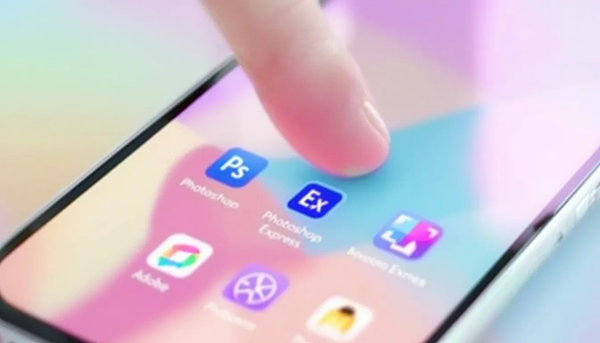
For those who want to edit their photos on the go, mobile apps offer a convenient solution. The best free photo apps for iPhone and Android allow you to easily edit images no matter where you are.
Two outstanding mobile apps are Adobe Photoshop Express and Snapseed, both of which offer powerful features and are suitable for both beginners and experienced users.
Adobe Photoshop Express: Mobile photo editing
Adobe Photoshop Express offers a variety of features, including:
- Scaling
- resizing
- Filter
- Improvements
- Text overlays
The user-friendly and minimalistic interface makes it particularly suitable for beginners and everyone.
The app allows for non-destructive editing, maintaining photo quality as long as the size remains the same. This makes Photoshop Express an ideal choice for quick and easy photo editing on the go.
Snapseed: Professional editing on your smartphone
Snapseed is a free photo editing app from Google, which enables professional editing on your smartphone. The app offers extensive editing features, including adjustments to brightness, contrast, and color tones.
With numerous filters and creative effects, Snapseed is aimed at ambitious photographers who need powerful editing software on the go. Its intuitive interface and powerful features make Snapseed an excellent choice for mobile photo editing.
Creative possibilities with free programs

Free image editing programs and photo editing programs offer a variety of creative possibilities that go far beyond simple adjustments. From creating collages to retouching and adding special effects—the possibilities are virtually endless.
Programs like PhotoScape X and Canva offer comprehensive tools for creative projects. These programs enable you to realize your creative visions and achieve impressive results.
Canva: Design tool for social media and more
Canva is a versatile design tool available on Windows, Mac, and the web. This free image editing software offers:
- a wide range of image enhancement tools
- Filter
- Frame
- graphics
- sticker
- Text options These features are particularly useful for social media and other creative projects.
The free version of Canva allows you to create a wide variety of projects, while the Pro version offers even more features and templates. If you're looking for free image editing software, Canva is a great option.
Fotor: Easy image enhancement and templates
Photor offers a user-friendly interface and a variety of features that enable quick and easy image editing. The main features include color adjustment tools, retouching tools, and a collage function, which are particularly suitable for social media. With a photo editor, these features can be used even more effectively, especially by photographers and image editors. Furthermore, the video and photo features are a valuable addition.
In addition to image enhancements, Fotor also offers numerous templates for custom designs that go beyond simple edits. Although the free version contains ads and doesn't offer plugin support, it's ideal for beginners and quick image edits.
Free image editing software: Summary: Key takeaways about intuitive eating
The world of free image editing programs is rich in options. There are many free image editing programs suitable for both beginners and advanced users. From powerful desktop programs like GIMP and Paint.NET to flexible online tools like Pixlr X and Photopea to specialized tools like RawTherapee and Krita – there's a suitable program for every need.
Mobile apps like Adobe Photoshop Express and Snapseed also offer powerful features for editing on the go. Ultimately, choosing the right photo editing program depends on your specific needs and preferences. Take the opportunity to try out different programs and find out which one works best for you.
Frequently Asked Questions
What is the best free photo editing software for beginners?
The best free photo editing software for beginners is Paint.NET or PhotoScape X, as both are user-friendly and easy to learn.
Which online tools offer similar features to Photoshop?
Photopea is an excellent online alternative to Photoshop and offers many similar features.
Which app is best for mobile photo editing?
Adobe Photoshop Express and Snapseed are both excellent options for mobile photo editing and offer a variety of features that can enhance your photos.
Are there specialized programs for editing RAW files?
Yes, RawTherapee is an excellent program specifically designed for editing RAW files. It offers extensive features for editing and optimization your pictures.
Can I also create creative designs with free programs?
Yes, with free programs like Canva and Fotor you can easily create creative designs as they provide a variety of templates and tools.